
Benchmarks
Fornax runs each engine in-process, through Java’s FFM API. These figures measure what that costs:
- Against the engine’s own tool: the same engine, at the same pinned commit and backend, run through its own command-line tool on the same model files and settings.
- Against ComfyUI, for songs: what many people run today.
Every figure has the command that produced it under its table. The harness is
fornax-bench, and one side runs at a time, so the
two never share the GPU.
Machine (2026-11-27): AMD RYZEN AI MAX+ 395 w/ Radeon 8060S, with 121 GB of memory
the OS can use (128 GB unified); Linux 7.3.4-300.fc45.x86_64; mesa-vulkan-drivers 26.2.7, Vulkan; Java 25.0.3+9-LTS.
Engines: llama.cpp 22b99122e1, stable-diffusion.cpp 3b12781fac.
A 553-token prompt, then 128 tokens generated after it, all layers on the GPU, llama.cpp's default batch sizes and flash attention. llama-bench's generation test runs at the same depth (-d 553); its time to the first token is the prompt plus one generated token, as Fornax's is.
| Runner | Engine | Time to first token | Generation | Peak GPU memory |
|---|---|---|---|---|
| Fornax | LlamaModel (llama.cpp 22b99122e1) | 0.30 s | 74.9 tok/s | 3.8 GB |
| llama-bench | llama.cpp 22b99122e1 | 0.30 s | 73.7 tok/s | 3.5 GB |
Commands behind these rows
- Fornax:
./gradlew :fornax-bench:benchmarks --args='out/benchmarks chat' -Pllama.bench=<llama-bench> - llama-bench:
llama-bench -m <Qwen3-4B-Instruct-2507-Q4_K_M.gguf> -p 553 -n 128 -d 0,553 -ngl 99 -r 3 -o json
Through Fornax, llama.cpp runs as fast as it does in its own benchmark: the first token arrives at the same time, and generation is within 2% of it. Fornax’s peak memory is a little higher because the model loads with a 4096-token context, where llama-bench sizes its own to the test.
Serving many clients
Section titled “Serving many clients”1, 2, 4 and 8 clients at once, each sending 3 streamed chats one after another: a ~256-token prompt of its own (each starts with its number, so no prompt is reused), greedy, 256 tokens out. fornax server with 4 slots (--parallel 4), with 4 slots in a worker process (fornax.isolation=process), and with 1, against llama-server with 4 (-np 4), each slot with 2048 tokens of context. Throughput is every client's tokens over the wall time; time to first token and request latency are the median / 95th percentile.
| Runner | Engine | Clients | Throughput | Time to first token | Request latency | Peak GPU memory |
|---|---|---|---|---|---|---|
| Fornax --parallel 4 | fornax server (llama.cpp 22b99122e1) | 1 | 67 tok/s | 0.18 / 0.18 s | 3.8 / 3.9 s | 4.4 GB |
| Fornax --parallel 4 | fornax server (llama.cpp 22b99122e1) | 2 | 117 tok/s | 0.20 / 0.38 s | 4.4 / 4.4 s | 4.4 GB |
| Fornax --parallel 4 | fornax server (llama.cpp 22b99122e1) | 4 | 191 tok/s | 0.35 / 0.67 s | 5.4 / 5.4 s | 4.4 GB |
| Fornax --parallel 4 | fornax server (llama.cpp 22b99122e1) | 8 | 191 tok/s | 5.99 / 6.05 s | 10.7 / 10.8 s | 4.4 GB |
| Fornax --parallel 4, isolated | fornax server (llama.cpp 22b99122e1) | 1 | 67 tok/s | 0.18 / 0.18 s | 3.8 / 3.8 s | 4.4 GB |
| Fornax --parallel 4, isolated | fornax server (llama.cpp 22b99122e1) | 2 | 117 tok/s | 0.20 / 0.38 s | 4.4 / 4.4 s | 4.4 GB |
| Fornax --parallel 4, isolated | fornax server (llama.cpp 22b99122e1) | 4 | 191 tok/s | 0.66 / 0.67 s | 5.4 / 5.4 s | 4.4 GB |
| Fornax --parallel 4, isolated | fornax server (llama.cpp 22b99122e1) | 8 | 191 tok/s | 5.99 / 6.03 s | 10.7 / 10.8 s | 4.4 GB |
| Fornax --parallel 1 | fornax server (llama.cpp 22b99122e1) | 1 | 68 tok/s | 0.18 / 0.18 s | 3.8 / 3.8 s | 3.5 GB |
| Fornax --parallel 1 | fornax server (llama.cpp 22b99122e1) | 2 | 68 tok/s | 3.94 / 3.98 s | 7.5 / 7.6 s | 3.5 GB |
| Fornax --parallel 1 | fornax server (llama.cpp 22b99122e1) | 4 | 68 tok/s | 11.51 / 11.58 s | 15.1 / 15.2 s | 3.5 GB |
| Fornax --parallel 1 | fornax server (llama.cpp 22b99122e1) | 8 | 68 tok/s | 26.59 / 26.71 s | 30.2 / 30.3 s | 3.5 GB |
| llama-server -np 4 | llama.cpp 22b99122e1 | 1 | 67 tok/s | 0.21 / 0.21 s | 3.8 / 3.8 s | 4.3 GB |
| llama-server -np 4 | llama.cpp 22b99122e1 | 2 | 118 tok/s | 0.35 / 0.37 s | 4.4 / 4.4 s | 4.3 GB |
| llama-server -np 4 | llama.cpp 22b99122e1 | 4 | 187 tok/s | 0.68 / 0.70 s | 5.5 / 5.5 s | 4.3 GB |
| llama-server -np 4 | llama.cpp 22b99122e1 | 8 | 185 tok/s | 6.21 / 6.34 s | 11.0 / 11.1 s | 4.3 GB |
Commands behind these rows
- Fornax --parallel 4:
./gradlew :fornax-bench:benchmarks --args='out/benchmarks serving' -Pllama.server=<llama-server> - Fornax --parallel 4:
./gradlew :fornax-bench:benchmarks --args='out/benchmarks serving' -Pllama.server=<llama-server> - Fornax --parallel 4:
./gradlew :fornax-bench:benchmarks --args='out/benchmarks serving' -Pllama.server=<llama-server> - Fornax --parallel 4:
./gradlew :fornax-bench:benchmarks --args='out/benchmarks serving' -Pllama.server=<llama-server> - Fornax --parallel 4, isolated:
./gradlew :fornax-bench:benchmarks --args='out/benchmarks serving' -Pllama.server=<llama-server> - Fornax --parallel 4, isolated:
./gradlew :fornax-bench:benchmarks --args='out/benchmarks serving' -Pllama.server=<llama-server> - Fornax --parallel 4, isolated:
./gradlew :fornax-bench:benchmarks --args='out/benchmarks serving' -Pllama.server=<llama-server> - Fornax --parallel 4, isolated:
./gradlew :fornax-bench:benchmarks --args='out/benchmarks serving' -Pllama.server=<llama-server> - Fornax --parallel 1:
./gradlew :fornax-bench:benchmarks --args='out/benchmarks serving' -Pllama.server=<llama-server> - Fornax --parallel 1:
./gradlew :fornax-bench:benchmarks --args='out/benchmarks serving' -Pllama.server=<llama-server> - Fornax --parallel 1:
./gradlew :fornax-bench:benchmarks --args='out/benchmarks serving' -Pllama.server=<llama-server> - Fornax --parallel 1:
./gradlew :fornax-bench:benchmarks --args='out/benchmarks serving' -Pllama.server=<llama-server> - llama-server -np 4:
<llama-server> -m <Qwen3-4B-Instruct-2507-Q4_K_M.gguf> -ngl 99 -np 4 -c 8192 --host 127.0.0.1 --port 18846 - llama-server -np 4:
<llama-server> -m <Qwen3-4B-Instruct-2507-Q4_K_M.gguf> -ngl 99 -np 4 -c 8192 --host 127.0.0.1 --port 18846 - llama-server -np 4:
<llama-server> -m <Qwen3-4B-Instruct-2507-Q4_K_M.gguf> -ngl 99 -np 4 -c 8192 --host 127.0.0.1 --port 18846 - llama-server -np 4:
<llama-server> -m <Qwen3-4B-Instruct-2507-Q4_K_M.gguf> -ngl 99 -np 4 -c 8192 --host 127.0.0.1 --port 18846
With 4 slots, fornax server --parallel 4 keeps pace with llama-server’s own -np 4 at every load: within 4% on
throughput, and no longer a wait for the first token. Against one slot (--parallel 1, the default, where requests take
turns), four clients get 2.8 times the tokens a second between them, and wait at most 0.7 s for their first token
(95th percentile) instead of 11.6 s. Past the slots (8 clients) both servers queue the rest, so throughput stays where 4
left it and the wait grows. The three extra slots cost about 0.9 GB here: their KV cache, 3 × 2048 tokens.
Isolated (FORNAX_ISOLATION=process), the model and its slots run in a worker process, and
the batching works there as it does in-process: the same throughput and 95th-percentile wait, to within 1%, at every load.
At 4 clients the median wait for the first token was 0.66 s, against 0.35 s in-process and 0.68 s for llama-server.
Images
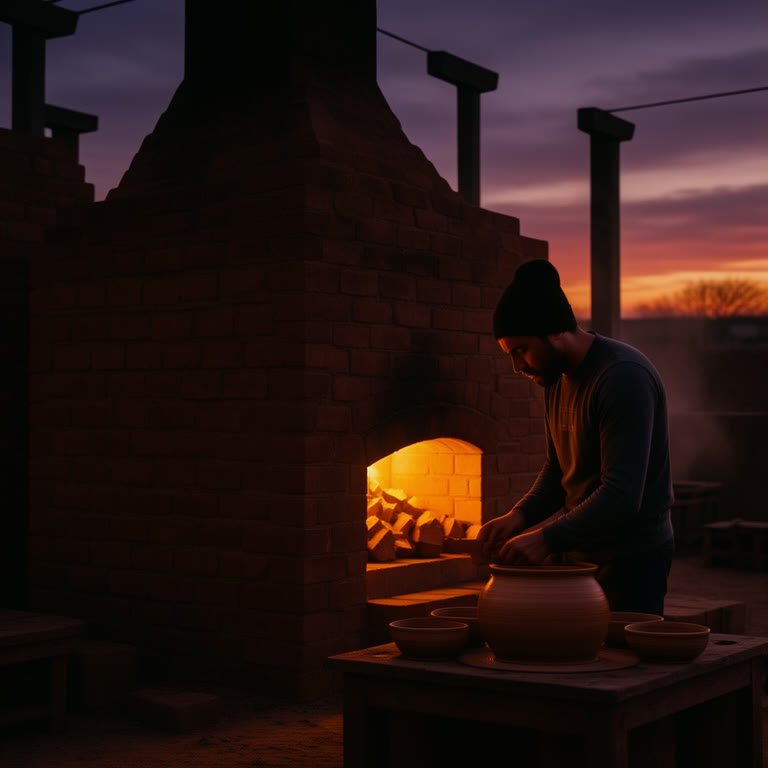
Section titled “Images”The same three files and settings on both sides; the two images are identical, pixel for pixel. Cold includes loading the weights; Fornax's warm run is a second image with them loaded.
| Runner | Engine | Cold | Warm | Peak GPU memory |
|---|---|---|---|---|
| sd-cli | stable-diffusion.cpp 3b12781fac | 132.1 s | — | 12.0 GB |
| Fornax | DiffusionModel (stable-diffusion.cpp 3b12781fac) | 137.3 s | 130.5 s | 12.7 GB |
Commands behind these rows
- sd-cli:
sd-cli --diffusion-model <flux-2-klein-base-4b-fp8.safetensors> --vae <flux2-vae.safetensors> --llm <qwen_3_4b.safetensors> -p 'a brick kiln at dusk, warm light, a potter loading bowls' -W 768 -H 768 --steps 12 --cfg-scale 4.0 -s 7 - Fornax:
./gradlew :fornax-bench:benchmarks --args='out/benchmarks image' -Psd.cli=<sd-cli>
The same request on each side, with the weights each runs: Fornax the GGUF Q8_0 conversions on Vulkan, ComfyUI its safetensors on ROCm PyTorch. So these set what you get from each today against each other, not two builds of one engine. Cold includes loading the weights; warm is a second song (seed + 1) with them loaded.
| Runner | Engine | Weights | Cold | Warm |
|---|---|---|---|---|
| ComfyUI | ACE-Step 1.5 turbo + 4B LM, 60 s song | safetensors (bf16 DiT) | 46.7 s | 22.9 s |
| Fornax | ACE-Step 1.5 turbo + 4B LM, 60 s song | GGUF Q8_0 | 17.9 s | 14.1 s |
| ComfyUI | YuE2 3B with ABC plan, 60 s song | safetensors (int8) | 63.3 s | 50.4 s |
| Fornax | YuE2 3B with ABC plan, 60 s song | GGUF Q8_0 | 64.2 s | 57.3 s |
Commands behind these rows
- ComfyUI:
./gradlew :fornax-bench:bench --args='out/bench acestep' # ComfyUI on 127.0.0.1:8188 - Fornax:
./gradlew :fornax-bench:bench --args='out/bench acestep' # ComfyUI on 127.0.0.1:8188 - ComfyUI:
./gradlew :fornax-bench:bench --args='out/bench yue2' # ComfyUI on 127.0.0.1:8188 - Fornax:
./gradlew :fornax-bench:bench --args='out/bench yue2' # ComfyUI on 127.0.0.1:8188
ACE-Step makes a song about 1.6 times as fast in Fornax warm, and 2.6 times cold, with the GGUF Q8_0 weights. YuE2 is even when cold and about 14% slower warm. The weights and backends differ between the two sides, so these figures don’t say which part of the difference comes from where.
| Fornax | ComfyUI | |
|---|---|---|
| ACE-Step 1.5 | ||
| YuE2 |
Running them yourself
Section titled “Running them yourself”Build the reference tools from the same sources as Fornax, with the same backend. native/build.sh checks each engine
out at its pin in native/engines.properties under engines-src/, with Fornax’s patches in native/patches applied,
and needs the same toolchain (for Vulkan: the Vulkan headers, glslc and SPIRV-Headers; see
Choosing a GPU backend). Build llama-bench and sd-cli from those checkouts,
then run the benchmarks:
native/build.sh vulkan llama sdcmake -S engines-src/llama.cpp -B engines-src/llama.cpp/build-bench -G Ninja -DCMAKE_BUILD_TYPE=Release -DGGML_VULKAN=ONcmake --build engines-src/llama.cpp/build-bench --target llama-bench llama-servercmake -S engines-src/stable-diffusion.cpp -B engines-src/stable-diffusion.cpp/build-cli -G Ninja -DCMAKE_BUILD_TYPE=Release \ -DSD_VULKAN=ON -DSD_BUILD_EXAMPLES=ONcmake --build engines-src/stable-diffusion.cpp/build-cli --target sd-cli./gradlew :fornax-bench:benchmarks --args='out/benchmarks chat image serving' \ -Pllama.bench=$PWD/engines-src/llama.cpp/build-bench/bin/llama-bench \ -Pllama.server=$PWD/engines-src/llama.cpp/build-bench/bin/llama-server \ -Psd.cli=$PWD/engines-src/stable-diffusion.cpp/build-cli/bin/sd-cli./gradlew :fornax-bench:bench --args='out/bench acestep yue2' # with ComfyUI on 127.0.0.1:8188Each run writes results.json, with the machine and the command behind every row, and results.md.